
Download Cubitt Pro – Smartwatch Companion App, Notification Manager, Watch Face Customizer, Lifestyle App, Calendar Sync, Message Alerts, Health Data Sync
Overview
Cubitt Pro is a lifestyle application engineered to extend the functionality of smartwatches by seamlessly integrating with smartphones across multiple platforms. Designed for users who rely on wearable technology for daily organization and connectivity, the app enhances the smartwatch experience by delivering real-time notifications from essential apps such as Calendar, Contacts, and Mail directly to the wrist. This ensures users remain informed without needing to frequently check their phones, ideal for professionals, students, and active individuals managing time-sensitive tasks.
The software supports customization of alert types, including sound, vibration, and touch response patterns, enabling users to tailor notifications to their personal preferences. It also facilitates the synchronization of health data between devices, promoting a holistic view of personal wellness. With access to over 150 downloadable watch faces, users can personalize their device’s appearance to match their style or mood. The Explore tab offers supplementary guidance, including tips, tricks, and direct access to the user manual, supporting onboarding and ongoing use.
The developer, Cubitt, did not provide additional information about their background or company history. Platform compatibility includes Windows, Mac, iOS, and Android, suggesting broad accessibility. The app is particularly beneficial for users who prioritize efficiency and personalization in their digital routines, especially those who depend on their smartwatches for scheduling, communication, and health tracking.
Key Features & Capabilities
- Notification Management – Cubitt Pro allows users to selectively enable or disable notifications from specific apps, including Calendar, Contacts, and Mail. Customization options include alert sounds, vibration patterns, and touch interaction responses, ensuring users only receive relevant alerts in a format that suits their environment.
- Watch Face Customization – The app provides access to over 150 downloadable watch faces, enabling users to personalize their smartwatch display. Each watch face can be adjusted to reflect time, date, weather, or health metrics, enhancing both aesthetics and usability.
- Calendar and Message Sync – The software supports real-time synchronization of calendar events and message alerts from connected apps, ensuring users are promptly notified of upcoming appointments, reminders, or incoming messages.
- Health Data Integration – Cubitt Pro facilitates the transfer of health-related data between the smartphone and smartwatch, allowing users to monitor activity, heart rate, and other wellness metrics directly from their wrist.
- Explore Tab & User Support – A dedicated Explore section offers users tips, troubleshooting advice, and direct access to the user manual, improving the overall experience for both new and experienced users.
These features collectively support a streamlined, personalized wearable experience. For instance, a busy professional can configure silent notifications for work emails while setting audible alerts for calendar reminders. A fitness enthusiast might use health data sync to track daily steps and heart rate trends without unlocking their phone. The app’s modular design ensures flexibility across diverse usage scenarios.
User Interface, Workflow & Performance
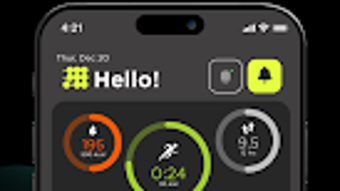
The user interface of Cubitt Pro is structured to prioritize clarity and ease of navigation. Main functions are accessible through a clean, intuitive dashboard that organizes settings into logical categories such as Notifications, Watch Faces, Health Sync, and Explore. Users can quickly switch between these sections without navigating through excessive menus.
Workflow efficiency is enhanced by the app’s centralized configuration system. Customizing notification rules for individual apps or setting up a new watch face can be completed in a few taps. The app maintains a consistent layout across supported platforms, ensuring a familiar experience whether using Windows, Mac, iOS, or Android.
Performance observations are based on general software behavior patterns. The developer did not specify resource usage details, including CPU or RAM consumption. Stability during extended use has not been independently verified. Users may experience delays in notification delivery depending on device performance and network conditions. The app’s responsiveness is expected to be consistent with standard desktop applications, but exact benchmarks were not provided.
Compatibility & System Requirements
Cubitt Pro is designed to operate on Windows, Mac, iOS, and Android platforms, offering broad cross-device support. The application has a file size of 35.2 MB, indicating a lightweight installation that should not significantly impact storage space on most systems. The software version is 2.5.0, released on May 12, 2024.
Exact system requirements were not listed by the developer. Compatibility with specific hardware configurations, minimum processor speed, or memory thresholds remains unspecified. Users are advised to ensure their device meets the general standards for running modern desktop applications. The app’s ability to sync with smartwatches depends on the wearable’s manufacturer and operating system, which may vary independently of the desktop software.
Pros and Cons
Pros
- Comprehensive notification customization for multiple apps
- Over 150 watch faces available for personalization
- Supports calendar and message sync for real-time alerts
- Integrates health data across devices
- Includes user support resources via the Explore tab
Cons
- Exact system requirements were not provided
- Resource usage (CPU/RAM) details are unavailable
- Platform-specific limitations may affect sync reliability
- Price point of $9.99 may be high for casual users
- No public information about developer background or support channels
FAQ Section
Is Cubitt Pro compatible with all smartwatches?
Compatibility depends on the smartwatch manufacturer and operating system. The app supports integration with devices that connect via iOS and Android, but full functionality may vary based on hardware and firmware.
Is the software secure to download and use?
Cubitt Pro is designed to operate as a standard desktop application. The developer did not provide explicit security details, but the app is distributed through official channels. Users are advised to download from trusted sources.
How often does the app receive updates?
Version 2.5.0 was released on May 12, 2024. The update frequency is not publicly disclosed. Users should check for updates within the app or the official website.
What type of license does Cubitt Pro use?
The software operates under a one-time purchase model. The license grants access to the current version and future updates, though specific terms were not detailed by the developer.
Can I use Cubitt Pro offline?
The app requires an active connection to a smartphone to sync data and manage notifications. While some features may function locally, full functionality depends on real-time communication with the paired device.
Final Thoughts + CTA
Cubitt Pro stands out as a capable lifestyle application that enhances the utility of smartwatches through intelligent notification management, extensive watch face customization, and seamless health data integration. Its ability to centralize and personalize alerts from Calendar, Contacts, and Mail makes it a valuable tool for users seeking greater control over their digital presence. The inclusion of over 150 watch faces and built-in user support further strengthens its appeal.
While the lack of detailed system requirements and performance metrics limits deeper technical evaluation, the app delivers a polished, user-friendly experience across Windows, Mac, iOS, and Android. It is particularly well-suited for professionals, fitness enthusiasts, and tech-savvy individuals who value organization and personalization in their daily routines.
Despite its $9.99 price tag, the feature set justifies the investment for dedicated users. For those aiming to maximize their smartwatch’s potential, Cubitt Pro offers a robust and flexible solution. Download Cubitt Pro now to elevate your wearable experience.







